You probably think you’re pretty careful with your personal information online. You use strong passwords, you don’t click sketchy links, maybe you even have a VPN. But the reality is that from the moment you wake up to the moment you fall asleep, your devices are quietly broadcasting a stream of personal data to companies, advertisers, data brokers, and occasionally governments. Most of it happens without you doing anything at all.
Here’s what a typical day of data leakage actually looks like, and what you can do about it.
7:00 AM: You Wake Up and Grab Your Phone
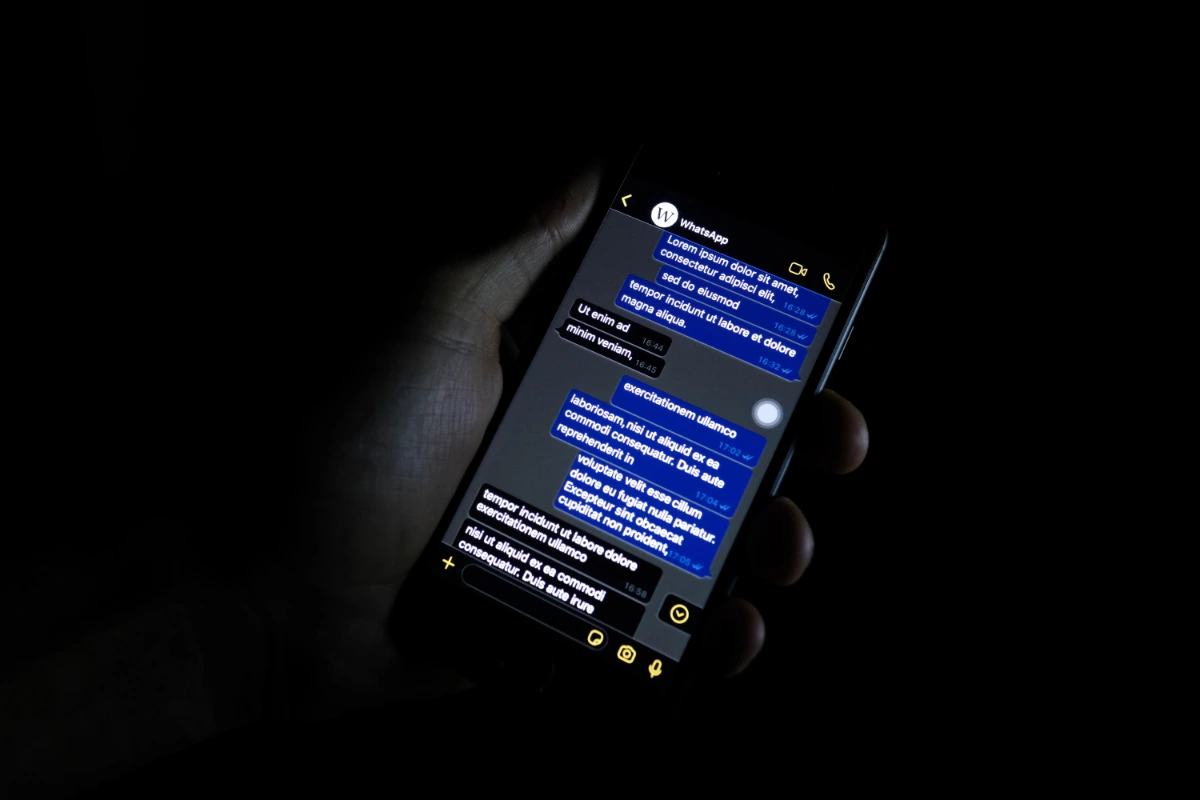
Before you even open an app, your phone already knows you’re awake. Built-in sensors like the accelerometer, gyroscope, and proximity sensor detect whether you’re lying down, sitting up, or moving. That’s useful for things like auto-rotating your screen. The problem is that most of your apps, including social media, games, and productivity tools, have access to those same motion sensors through their terms of service. Whether you read those terms or not.
That means apps can tell when you woke up, how quickly you grabbed your phone, and whether you’re a “check it immediately” person or a “let it sit for a while” person. These behavioral patterns get logged and used to build a profile of your daily routine. It sounds paranoid until you realize that routine data is exactly what advertisers pay for. They want to know when you’re most likely to engage with content, and your morning phone grab tells them.
The fix: Review app permissions on your phone. On iOS, go to Settings > Privacy & Security and audit which apps have access to Motion & Fitness data. On Android, check Settings > Privacy > Permission Manager. Remove access for anything that doesn’t genuinely need it.
7:30 AM: You Check Your Email
You open your inbox, scroll through the usual noise, and click on a couple of messages. Even if you don’t click a single link, you’ve already sent data back to the sender. Hidden inside many emails is a one-by-one pixel tracking image, invisible to the eye. The moment your email client loads it, it pings a remote server and confirms that you opened the message, when you opened it, what device you used, and your general location via IP address.
Marketers use these tracking pixels constantly. So do scammers and data brokers. If you’ve ever wondered how spammers seem to know your email is active, this is how. You confirmed it for them just by opening their message.
As someone who works with email marketing tools on the WordPress side, I can tell you that tracking pixels are standard practice in virtually every email platform. Mailchimp, ConvertKit, ActiveCampaign, all of them use pixel tracking by default. It’s not malicious in most cases, but it is pervasive.
The fix: In your email client, disable automatic image loading. In Gmail, go to Settings > General > Images and select “Ask before displaying external images.” In Apple Mail, turn off “Load Remote Content” under Privacy settings. This one change kills most email tracking instantly.
9:30 AM: You Search for a Flight
You’re thinking about a trip so you hop on Google Flights or Kayak to check prices. You don’t book anything. You just look. That search gets logged immediately. A cookie and tracker are set, and that data is available to airlines, advertisers, and data brokers almost instantly.
Here’s the part that actually costs you money: the system noticed you searched but didn’t book. Algorithms interpret that hesitation as interest combined with price sensitivity. When you come back to check the same flight later, the price may have climbed. This isn’t a conspiracy theory. It’s dynamic pricing, and your browsing behavior is one of the inputs.
The fix: Search for flights in a private/incognito browser window, or better yet, use a VPN so your IP address doesn’t get tied to repeated searches. Clear cookies between sessions if you’re comparing prices over multiple days. Some people swear by searching from different geographic locations via VPN to find lower prices, and there’s real evidence that it works.
11:00 AM: Your Smart Car Rats You Out
You hop in the car to run some errands. If your vehicle was made in the last five or six years, it’s collecting data on you the entire time. Every turn, every brake, every stop is recorded. Your car knows where you went, how fast you drove, how hard you braked, and how long you stayed at each location.
That data doesn’t just sit in the car’s computer. It gets sent back to the manufacturer, and from there it often ends up with data brokers like LexisNexis. There have been documented cases of people seeing their insurance rates climb with no accidents or tickets on their record. The reason? Their car reported frequent hard braking to a data broker, which sold that data to the insurance company, which adjusted their risk profile accordingly. No human reviewed it. No one told the driver.
The fix: Check your vehicle’s connected services settings and opt out of data sharing where possible. For GM vehicles, look at OnStar settings. For Ford, check FordPass privacy options. Toyota, Subaru, and others have similar opt-out processes, though they don’t make them easy to find. Also review whether your car’s companion app has location sharing enabled and turn it off if you don’t need it.
12:30 PM: You Buy Something on Facebook Marketplace
You find a deal on Facebook Marketplace and arrange to meet the seller. In the process, you’ve shared your name through the message thread, your face when you show up, your vehicle and license plate in the parking lot, and the fact that you carry cash. Each of those data points individually is harmless. Combined, they build a confirmed identity profile that links your digital presence to your physical self.
Facebook also knows you’re a high-value buyer if you regularly browse and purchase through Marketplace. Advertisers on the platform can target users based on spending behavior in specific categories. And if your purchasing patterns suggest you have money to spend, you become what the ad industry calls a “whale,” someone worth targeting with higher-value ads and, unfortunately, also a more attractive target for scammers.
The fix: Use a secondary Facebook account for Marketplace if possible, though Facebook’s terms technically prohibit this. At minimum, tighten your Marketplace privacy settings and turn off ad personalization (Settings > Accounts Center > Ad Preferences > Ad Settings). Meet in public locations and be conscious of what’s visible in the background of any photos you share in listings.

3:00 PM: Your Home Security Cameras Are Watching You Too
You’ve got Ring cameras or a similar smart home security system. You feel safer. But every frame of footage is being uploaded to the cloud, processed, and stored on someone else’s servers. Ring specifically has faced lawsuits and investigations involving employees accessing customer camera feeds without authorization. There have also been cases of hackers taking over Ring cameras and speaking through them to families in real time.
The convenience of checking your cameras from an app comes with a tradeoff. There are two attack surfaces: your username and password on one side, and the company’s servers on the other. You can control the first one. You can’t control the second. The more footage you store in the cloud, the greater the chance of it being exposed in a breach.
The fix: If you’re serious about home security, consider a system that stores footage locally on an SD card or a local NVR (network video recorder) rather than in the cloud. If you stick with Ring or a similar cloud-based system, enable two-factor authentication, use a strong unique password, and regularly review which devices and users have access to your account. Also check your footage sharing settings, Ring’s Neighbors feature shares clips with local police in some areas by default.
6:00 PM: Your Kids Are Online
The kids are on their Chromebooks or tablets, and you feel okay about it because the devices have parental controls. But if they appear in any photos or videos you’ve posted to social media, platforms like Facebook and Instagram are already building what’s called a shadow profile for them. The AI scans images for faces, clothing, backgrounds, even the style of the room. It labels and logs everything, linking it to your account.
If your kids eventually create their own Facebook or Instagram accounts, everything you’ve ever posted about them gets merged into their profile from day one. They don’t start with a blank slate. They start with years of data you contributed on their behalf before they were old enough to consent.
The fix: If you post photos of your kids, cover their faces completely. Emoji overlays or blur effects that only cover the eyes leave too much of the face exposed. Modern AI can reconstruct or match partial faces with alarming accuracy. Better yet, keep photos of your kids off public social media entirely. Share them through private channels like a family group chat or a shared photo album with restricted access.
10:00 PM: The Late Night Scroll
You’re in bed, telling yourself you’ll put the phone down in five minutes. You won’t. The algorithm knows this is prime engagement time. It serves you content designed to keep the cycle going: something exciting, then something curious, then something comforting, then back to exciting. The dopamine loop keeps your brain activated and your fingers scrolling.
But the real issue isn’t the wasted time. It’s that every app on your phone is treating this session as assessment time. They’re compiling the entire day’s activity: where you went, who you interacted with, what you bought, how long you stayed in each app. They’re not just collecting. They’re classifying and learning how to better predict your behavior tomorrow.
The fix: Set app time limits on your phone. Both iOS Screen Time and Android Digital Wellbeing let you cap usage per app. More importantly, charge your phone outside the bedroom or at least across the room. If you use it as an alarm clock, buy a $10 alarm clock instead. Removing the late-night scroll habit is one of the highest-impact privacy (and sleep) improvements you can make.
2:00 AM: You’re Asleep, But Your Phone Isn’t
You’re out cold. Your phone is not. While you sleep, your apps are phoning home, syncing data, updating location services, and processing the day’s activity. If you get up to use the bathroom and pick up your phone, that motion data confirms you’re awake. Combined with the time, ambient light sensor data, and movement patterns, your phone can infer sleep disruption.
This might sound trivial, but health signals derived from phone usage patterns can inform insurance risk models. Poor sleep patterns, frequent nighttime phone checks, and irregular routines all get fed into behavioral profiles that data brokers sell to insurers and employers. Your rates go up and you never know why.
Even your inaction leaks data. Remember that flight you searched for earlier and didn’t book? While you slept, the system interpreted your delay as urgency. By morning, the price may have increased because the algorithm learned you’re interested but hesitant, and it’s betting you’ll pay more under time pressure.
The fix: Put your phone in Do Not Disturb mode and turn off background app refresh before bed (Settings > General > Background App Refresh on iOS). Better yet, put your phone in airplane mode overnight. If an app doesn’t need to sync at 3:00 AM, don’t let it.
The Bigger Picture
None of these individual data leaks feel like a big deal on their own. A tracking pixel here, a motion sensor reading there, a cookie from a flight search. But combined across a full day, repeated over weeks and months, they build an extraordinarily detailed profile of who you are, what you do, what you want, and what you’re willing to pay for it.
You didn’t agree to share most of this. It was buried in terms of service agreements that nobody reads, enabled by default settings that favor the platform over the user, and processed by systems designed to extract maximum value from your behavior.
The good news is that most of these leaks have practical fixes. You don’t have to go fully off-grid or wrap your phone in tinfoil. Start with the biggest wins: disable email tracking pixels, audit your app permissions, turn off ad personalization, and stop charging your phone next to your bed. Each small change reduces the surface area of your digital exposure.
The companies collecting your data are running a 24/7 operation. Your privacy shouldn’t be something you only think about when something goes wrong.
Where to Learn More
If this article made you want to tighten things up, these resources go deeper than we could here. Some are practical tool guides, others are broader frameworks for thinking about privacy as a habit rather than a one-time fix.
- Surveillance Self-Defense – The Electronic Frontier Foundation’s free guide to protecting yourself from online surveillance. Covers everything from making a security plan to step-by-step tool installation guides. This is the gold standard for accessible digital privacy education.
- Privacy Guides – An independent, non-profit resource for privacy tool recommendations. No ads, no affiliate programs, no conflicts of interest. If you need to evaluate a VPN, email provider, browser, or any other privacy tool, start here.
- Everything You Do in a Day That Leaks Data (YouTube, Proton) – The video that inspired this article. Follows a YouTuber through 24 hours of daily life while a professional hacker breaks down every data leak in real time. Worth watching even if you’ve read this far.
- Digital Camouflage: Mastering Online Anonymity and Security – Our own deep dive into the tools and techniques for serious online privacy. If this article is the “why you should care,” Digital Camouflage is the “here’s how to actually do it.”